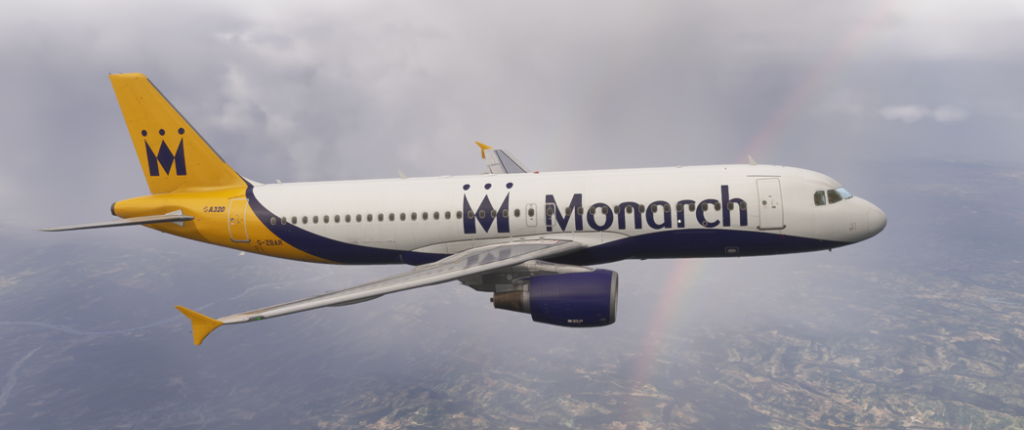
Fleet & Hangar
Your persistent aircraft, configurations, positions and operational capabilities — ready to support the next flight.
Hangar
Your aircraft are grouped by airframe rather than tail number. Detailed Flight Logger records remain rich; historical records join the fleet wherever an aircraft name was actually recorded.
Manage declared aircraft0 declared · console / CoxBox / manual pilots
FenixA320 CFM WF
Current recorded location: RJCJ
Developer aircraft data
Planning envelope
FenixA320 CFM WF
RFoV uses this identity only when handing a selected IFR flight to SimBrief. It does not generate the IFR route itself.
A320 · JA8390
FenixA320 CFM WF
RFoV has recorded 72 sectors in this aircraft across 59 airports. Its story currently continues from RJCJ.
Possible next chapters
RFoV uses this airframe’s recorded history plus the current suitable opportunity set to suggest where its story could go next.
Milestones
Airframe-level progress, independent of individual tail numbers.
Where this airframe has flown
Start with the latest sector, or widen the map to recent movements.
Recorded sectors
| Date | Route | Source | Registration | Distance | |
|---|---|---|---|---|---|
| September 5, 2026 | UHWW → RJCJ | Flight Logger | JA8390 | 499.5 NM | MapOpen → |
| July 4, 2026 | RKSI → UHWW | Historical Log | BOP-356 | — | MapOpen → |
| June 28, 2026 | RKJB → RKSI | Historical Log | BOP-356 | — | MapOpen → |
| June 28, 2026 | RKPC → RKJB | Historical Log | BOP-356 | — | MapOpen → |
| June 28, 2026 | KR0285 → RKJB | Historical Log | BOP-356 | — | Open → |
| June 28, 2026 | ZSNJ → RKPC | Historical Log | BOP-356 | — | MapOpen → |
| June 27, 2026 | ZGSZ → ZSNJ | Historical Log | BOP-356 | — | MapOpen → |
| May 31, 2026 | VVNB → ZGSZ | Historical Log | BOP-356 | — | MapOpen → |
| May 4, 2026 | ZPLJ → VVVD | Historical Log | N5882D | — | Open → |
| March 30, 2026 | VEBS → ZPLJ | Historical Log | N2002R | — | MapOpen → |
| March 30, 2026 | VEBS → ZPLJ | Historical Log | Unknown | 882.0 NM | MapOpen → |
| March 24, 2026 | VABP → VEBS | Historical Log | N2002R | 579.8 NM | MapOpen → |
| March 24, 2026 | VABP → VEBS | Historical Log | Unknown | 506.0 NM | MapOpen → |
| March 23, 2026 | VIAR → VABP | Historical Log | N2002R | 603.8 NM | MapOpen → |
| March 23, 2026 | VIAR → VABP | Historical Log | Unknown | 523.0 NM | MapOpen → |
| March 19, 2026 | 5436N00137W → 5446N00140W | Historical Log | 356 | 0.0 NM | MapOpen → |
| March 19, 2026 | 5442N00201W → 5440N00160W | Historical Log | 356 | 9.0 NM | MapOpen → |
| March 19, 2026 | UAOO → VIAR | Historical Log | 2002R | — | MapOpen → |
| March 19, 2026 | OAZI → UAOO | Historical Log | 356 | — | MapOpen → |
| March 19, 2026 | OAZI → OAZI | Historical Log | 356 | — | MapOpen → |
| March 19, 2026 | OAZI → UAOO | Historical Log | Unknown | 774.0 NM | MapOpen → |
| March 19, 2026 | UTAA → 3152N06414E | Historical Log | N2002R | 560.4 NM | MapOpen → |
| March 18, 2026 | UTAA → OAZI | Historical Log | 356 | — | MapOpen → |
| March 18, 2026 | UBFI → UTAA | Historical Log | N2002R | 581.6 NM | MapOpen → |
| March 18, 2026 | OIIX → UTAA | Historical Log | 2002R | — | Open → |
| March 18, 2026 | UBBF → UTAA | Historical Log | Unknown | 530.0 NM | Open → |
| March 18, 2026 | LCRA → UBFI | Historical Log | N2002R | 898.1 NM | MapOpen → |
| March 18, 2026 | LCRA → OSLK | Historical Log | 2002R | — | MapOpen → |
| March 18, 2026 | LCRA → UBBF | Historical Log | Unknown | 742.0 NM | Open → |
| March 17, 2026 | LBGO → LCRA | Historical Log | N2002R | 855.9 NM | MapOpen → |
| March 17, 2026 | LBGO → LCRA | Historical Log | Unknown | 615.0 NM | MapOpen → |
| March 15, 2026 | LWOH → LBGO | Historical Log | N2002R | 0.2 NM | MapOpen → |
| March 15, 2026 | LWOH → LBGO | Historical Log | Unknown | 250.0 NM | MapOpen → |
| March 15, 2026 | LWOH → 4111N02045E | Historical Log | N2002R | 236.0 NM | MapOpen → |
| March 15, 2026 | LWOH → LATI | Historical Log | 2002R | — | MapOpen → |
| March 14, 2026 | LWSK → LWOH | Historical Log | N2002R | 102.1 NM | MapOpen → |
| March 14, 2026 | LDRI → LWSK | Historical Log | N2002R | 428.9 NM | MapOpen → |
| March 14, 2026 | LDRI → LWSK | Historical Log | 2002R | — | MapOpen → |
| March 13, 2026 | HLLT → 4206N02135E | Historical Log | N1125D | 766.4 NM | MapOpen → |
| March 13, 2026 | HLLL → LWSK | Historical Log | 1125D | — | Open → |
| March 13, 2026 | LTBZ → HLLL | Historical Log | 1125D | — | Open → |
| March 6, 2026 | LEMG → HLLT | Historical Log | N1125D | 1,086.2 NM | MapOpen → |
| March 6, 2026 | LEMG → HLLT | Historical Log | 1125D | — | MapOpen → |
| March 2, 2026 | DAAV → LEMG | Historical Log | N1125D | 606.2 NM | MapOpen → |
| March 2, 2026 | DAAV → LEMG | Historical Log | Unknown | 498.0 NM | MapOpen → |
| March 2, 2026 | LIMZ → DAAV | Historical Log | N1125D | 695.9 NM | MapOpen → |
| March 1, 2026 | EKCH → LIMZ | Historical Log | N1125D | 762.0 NM | MapOpen → |
| March 1, 2026 | EKCH → LSZH | Historical Log | N1125D | — | MapOpen → |
| March 1, 2026 | EKCH → LIMZ | Historical Log | Unknown | 691.0 NM | MapOpen → |
| March 1, 2026 | EKCH → EKCH | Historical Log | N1125D | 0.2 NM | MapOpen → |
| March 1, 2026 | EKCH → EKCH | Historical Log | Unknown | — | MapOpen → |
| February 27, 2026 | EKBI → EKRK | Historical Log | N5096K | 0.2 NM | MapOpen → |
| February 26, 2026 | EKBI → EKRK | Historical Log | N5096K | — | MapOpen → |
| February 20, 2026 | ENGM → EKBI | Historical Log | N2604A | 294.8 NM | MapOpen → |
| February 20, 2026 | ENGM → EKBI | Historical Log | Freelance | 274.0 NM | MapOpen → |
| February 14, 2026 | ENTC → ENGM | Historical Log | N3721X | 683.1 NM | MapOpen → |
| February 14, 2026 | ENTC → ENGM | Historical Log | D-AIQW | — | MapOpen → |
| February 13, 2026 | ENSB → ENSB | Historical Log | N7414R | 0.1 NM | MapOpen → |
| February 12, 2026 | ENTC → ENSB | Historical Log | N7414R | — | MapOpen → |
| February 12, 2026 | EFRO → ENTC | Historical Log | 356 | 0.2 NM | MapOpen → |
| February 11, 2026 | EFHK → EFRO | Historical Log | N3562F | 414.0 NM | Open → |
| February 11, 2026 | EFHK → EFRO | Historical Log | Freelance | 375.0 NM | Open → |
| February 9, 2026 | ESSA → EETN | Historical Log | N5625W | — | Open → |
| February 8, 2026 | EDDB → ESSA | Historical Log | N2264S | — | Open → |
| February 8, 2026 | EGGD → EDDB | Historical Log | 356 | — | Open → |
| February 8, 2026 | EGPD → EGGD | Historical Log | N9063V | — | Open → |
| February 1, 2026 | EGKK → EGCC | Historical Log | Freelance | 152.0 NM | Open → |
| February 1, 2026 | EGCC → EGKK | Historical Log | Freelance | 152.0 NM | Open → |
| January 28, 2026 | LERS → EGGD | Historical Log | Freelance | 634.0 NM | Open → |
| January 28, 2026 | EGGD → LERS | Historical Log | Freelance | 634.0 NM | Open → |
| January 27, 2026 | KMFR → KPDX | Historical Log | Freelance | 193.0 NM | Open → |
| January 27, 2026 | KPDX → KMFR | Historical Log | Freelance | 193.0 NM | Open → |
FenixA320 CFM WF
Fenix A320 — Developer Capacity Overlay · Structured · Exact aircraft match
Reference view of the developer-sourced Knowledge Pack. It shows the whole library without contextual filtering. Check marks are local to this browser and do not change the live Flight Companion state.
Preparation · 15
Set the aircraft into a known pre-start state, start the EFBs, confirm the eQRH/EFB version, initialise ACARS when used, and verify the basic aircraft/FMGS identity for the planned sector.
Use the simulator’s current dispatch/logbook state, airfield data and preliminary loading to establish and cross-check initial takeoff-performance data before the walkaround/cockpit preparation is complete.
Configure the overhead, central and pedestal panels for the flight, prepare the navigation/FMS data, set barometric/FCU references as appropriate, and complete the normal cockpit preparation before moving to the before-start flow.
Fenix's import workflow expects an OFP to have been generated first. If you plan to use the Fenix SimBrief integration, confirm the current flight has a generated OFP before moving on.
The Fenix workflow uses the SimBrief username entered in the EFB settings. Check it if this is a new install, profile change or import is not behaving as expected.
The Fenix checklist is built into the EFB under Pilot Brief > Documents. RFoV now carries contextual knowledge itself, while the built-in list remains useful for the full normal sequence.
Fenix models fan icing. In this simulator context, inspect for fan ice/frost and use the Fenix EFB Ground Services fan-heating function when the documented icing conditions make it relevant.
Fenix provides thrust-lever and flap calibration through MCDU MENU > CONFIG > CONTROLS CONFIG. This is normally a setup/change check rather than something to repeat every sector.
In the Fenix EFB MY FLIGHT tab, use IMPORT FLIGHT FROM SIMBRIEF after the current OFP has been prepared.
After importing/planning the flight, use the MASS AND BALANCE workflow and LOAD AIRCRAFT. Choose the desired loading method/speed or GSX integration as appropriate for the simulator session.
Use the Fenix EFB SEND TO MCDU function once loading is complete so the final weight and centre-of-gravity data are available on the MCDU Init B page.
Check the selected measurement units in Fenix settings against the units used by the current SimBrief plan.
The Fenix Charts app can sync airport fields from the imported SimBrief route and can automatically star departure/arrival/ground charts for quicker access.
The Fenix Pilot Brief app brings the operational flight plan, weather briefing, NOTAMs, checklist, QRH and other documents together in one place.
Where de-icing/anti-icing is relevant, make sure critical surfaces and the areas around the air-data probes are free of simulated ice/snow before takeoff; if de-icing was used, retain the associated report/context for the departure.
Startup · 8
Check the final load/fuel picture and make sure final takeoff performance/FMS data still reflects the current departure conditions before completing the before-start flow.
Complete the normal before-start cabin/aircraft readiness checks, including doors/windows and the relevant ground/parking configuration, before obtaining pushback or start clearance.
Select the start configuration, start the engines in the QRH sequence, and confirm each engine reaches a stable idle before continuing.
Return the engine-mode/start systems to their normal post-start state, set anti-ice as required, check ECAM status, and configure spoilers, flaps and trim for taxi/takeoff.
The Fenix EFB Ground Services page provides engine fan heating. Use it when the simulated fan condition/icing context warrants it, before committing to engine start.
Fenix documents engine anti-ice as required when icing conditions are encountered or anticipated. Apply that developer guidance to the current simulator conditions rather than relying on a generic RFoV rule.
Fenix provides its QRH in the EFB Pilot Brief documents. RFoV does not reproduce abnormal procedures; this is a location reminder only.
Use the Fenix GROUND SERVICES tab for the services needed by the current simulator turnaround; the same area provides pushback controls.
Taxi / Run-up · 7
After taxi clearance, configure the exterior lights, release the parking brake, check normal braking and complete the flight-control check while taxiing as conditions permit.
If runway, weather or other takeoff conditions changed after the original calculation, recompute the final takeoff performance and cross-check/revise the FMS takeoff data before departure.
Confirm the takeoff briefing and ATC clearance, set the required departure/FMS/FCU configuration, and verify the takeoff configuration/memo before completing the first part of the before-takeoff checklist.
Fenix notes that extended idle/low-thrust operation can increase fan-ice accumulation risk. Keep this in mind during a long taxi when the simulated conditions are icing-prone.
If thrust response or vibration suggests fan ice, use the engine-specific ice-shedding procedure described by Fenix rather than improvising a generic response.
RFoV has identified night/dawn/dusk context at the departure. Use the normal Fenix taxi checklist with extra attention to external-lighting and taxi-awareness items.
The Fenix Ground Services workflow includes integrated pushback controls for connecting and steering the tug.
Takeoff · 9
At the runway/line-up stage, finish the remaining before-takeoff checks: aircraft/cabin secure, runway/traffic awareness, relevant TCAS and brake/fan state, and line-up clearance.
Set takeoff thrust as planned and monitor the flight-mode/engine/primary-flight indications through the initial roll, using the normal callout sequence as reference.
Once positive climb is established, raise the landing gear and continue the normal thrust-reduction/flap-retraction sequence toward the after-takeoff configuration.
For the CFM variant, the supplementary procedure calls for a three-minute engine warm-up before takeoff. Treat this as a simulator-specific readiness consideration, especially after a rapid start-and-taxi.
Fenix's simulator icing model can affect the engines. Before takeoff, make sure your anti-ice configuration matches the developer's icing guidance for the conditions you are actually simulating.
Fenix documents wing anti-ice as condition-dependent rather than an always-on action. Apply the developer guidance if icing is detected or anticipated.
Current RFoV context: {context_summary}. Use this to focus the normal Fenix checklist on what is unusual about this departure.
In Departure Performance, set the departure airport, runway and runway condition; sync the loadsheet values and live weather as required, calculate, then transfer the result to the MCDU.
Rain or snow is present in RFoV situational context. Confirm the Fenix departure-performance calculation uses the runway condition and current weather appropriate to the simulated departure.
Climb · 2
Complete the after-takeoff checklist, then at the transition altitude set/cross-check standard barometric reference and continue the normal climb configuration, including anti-ice and exterior lights as required.
The normal after-takeoff/climb checklist includes confirmation that the landing gear is up. RFoV can show the generic SimConnect gear-handle report alongside the manual checklist; the checklist itself remains authoritative.
Cruise · 1
Periodically review ECAM/system pages, flight progress, fuel state, navigation accuracy and radar configuration during cruise.
Descent · 2
Obtain current arrival/weather information, confirm landing conditions, compute/cross-check landing performance, prepare the FMS and charts, and complete the approach briefing before descent.
Monitor the descent, set/cross-check the barometric reference when appropriate, and complete the normal 10,000-ft lighting/sign/navigation configuration.
Approach · 2
Activate/confirm the approach phase, monitor managed speed and navigation, then extend flaps/gear progressively and arm the normal landing systems as the approach develops.
Before final approach, confirm the aircraft is in the intended landing configuration, the landing memo has no outstanding blue items, and the landing checklist is complete.
Landing · 1
On a normal manual landing, transition from flare to idle thrust, use reverse/braking as required, maintain directional control and stow reverse as taxi speed is reached.
After Landing · 2
After vacating the runway, disarm spoilers, retract flaps, reconfigure exterior lights/radar/TCAS and anti-ice as required, then check brake temperature/fans and start the APU when needed.
The normal after-landing checklist calls for flaps at zero. RFoV can display the generic flap-handle report as corroborating simulator evidence.
Parking · 2
At the final stand, set the parking brake, shut down the engines, disarm slides, reconfigure lights/signs/ATC/fuel systems and complete the parking checklist.
The parking checklist includes engines off. RFoV can display the generic engine-combustion report as corroborating simulator evidence.
Shutdown · 1
When fully securing the aircraft, close the EFB applications, switch off the remaining aircraft systems/power in the documented sequence and complete the securing checklist.